

A website redesign budget for a small business typically ranges from $2,500 to $15,000, with most companies investing between $5,000 and $10,000 for a professional overhaul that includes modern design, mobile optimization, and basic functionality upgrades. If you’re working with a DIY website builder and handling most of the work yourself, you might spend as little as $500 to $2,000. On the high end, businesses requiring custom features, e-commerce integration, or extensive content development can see costs climb to $20,000 or more.
What drives these price differences? The biggest factors are project scope, design complexity, and who does the work. A five-page informational site costs far less than a forty-page catalog with custom product filters. Template-based designs run cheaper than custom builds created from scratch. Freelancers charge less per hour than agencies, though agencies often deliver faster and with more comprehensive support.
Hidden costs catch many small business owners off guard. Photography, copywriting, SEO optimization, and ongoing maintenance can add 30% to 50% to your initial quote. Stock images might run $200 to $500, while professional photography starts around $1,000. Copywriting services range from $100 to $300 per page.
The good news? You have more control over costs than you think. Smart planning, clear goals, and understanding where to invest versus where to save can stretch your dollars considerably. For expert guidance tailored to small businesses, the team at A Creative Agency offers transparent pricing and strategic advice.
Website Redesign Costs by Project Scope

Basic Website Refresh
A basic website refresh is the most budget-friendly option, typically costing between $1,500 and $5,000 for small businesses. This approach keeps your existing platform and overall structure intact while making targeted improvements that give the site a fresher look and better performance. You might update homepage imagery, refine color schemes to match current branding, refresh outdated content, and make modest adjustments to navigation or contact forms. It’s ideal when your site functions well but feels stale, or when you need to incorporate new products or services without rebuilding everything. According to current small business redesign cost ranges this level of work usually takes one to three weeks and delivers noticeable improvements without the downtime or expense of a full redesign.
Standard Redesign
Most small businesses fall into this mid-tier category when they need a meaningful upgrade beyond cosmetic changes. A standard redesign typically costs between $5,000 and $15,000, depending on your site’s complexity and your geographic location.
This budget covers a complete visual overhaul with custom design work, responsive templates that work seamlessly across devices, improved navigation structure, and integration of essential tools like email marketing platforms or booking systems. You’ll get professional copywriting or content optimization for key pages, basic SEO improvements, and mobile optimization that actually works.
Expect the project to take six to ten weeks from kickoff to launch. At this level, you’re working with experienced designers who understand conversion principles, not just aesthetics. The result should feel like a modern, credible business website that actively supports your goals rather than just existing online.
Complete Rebuild
Complete rebuilds represent the highest tier of website redesign investment, typically ranging from $15,000 to $50,000 or more for small businesses. These projects involve fundamentally rethinking your online presence rather than working within your existing framework.
You’re looking at a complete rebuild when you need to migrate to an entirely different platform, say moving from an outdated proprietary system to WordPress or Shopify, integrate complex third-party tools like CRM systems or inventory management, or add substantial custom functionality such as member portals, booking systems, or configurators. A local manufacturing company might spend $28,000 to build a custom quote request system with automated pricing calculations. A professional services firm could invest $22,000 in a complete rebuild featuring client login areas, document sharing, and integrated scheduling.
These projects typically span three to six months and require ongoing developer support even after launch.
Cost Breakdown: Where Your Money Goes
Design and User Experience
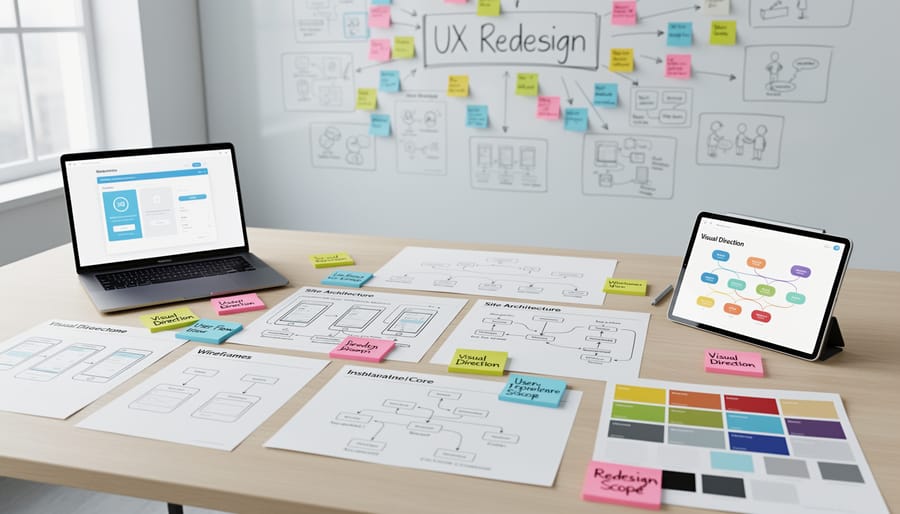
Design and user experience typically accounts for 25-40% of your total redesign budget, with small business projects ranging from $1,000 to $8,000 depending on complexity. This investment covers the visual blueprint of your new site.
Wireframing and UX planning ($300-$1,500) maps out how visitors navigate your site and find information. Your designer creates page layouts, user flows, and interaction patterns before touching any visual elements.
Visual design ($700-$5,000) transforms wireframes into branded mockups, including color schemes, typography, imagery selection, and overall aesthetic. Custom illustrations or photography add $500-$2,000.
Branding integration ($0-$1,500) ensures your site reflects your business identity consistently. If you need logo refinement or brand guidelines developed alongside the redesign, expect costs toward the higher end of this range.
Development and Technical Implementation
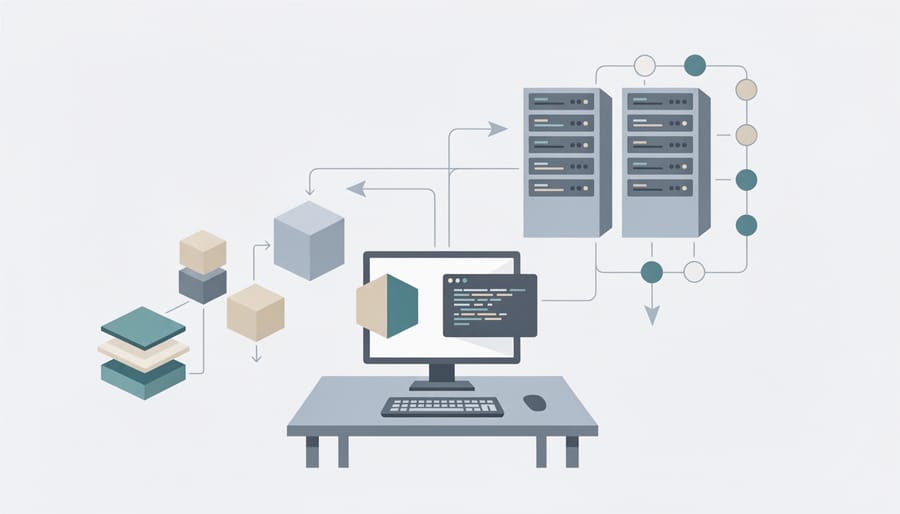
Development costs typically represent 40-60% of your total redesign budget. Front-end development, the code that makes your site look and function properly in browsers, usually runs $2,000-$8,000 for small business projects. Back-end development for database integration, user authentication, or custom features adds $3,000-$15,000 depending on complexity.
Platform setup costs vary significantly. A basic WordPress installation might cost $500-$1,500, while custom CMS implementation or e-commerce platforms like Shopify Plus can reach $5,000-$10,000. Third-party integrations, connecting your CRM, payment processors, email marketing tools, or inventory systems, typically add $500-$2,000 per integration. Mobile responsiveness is standard now, but ensuring your site works flawlessly across devices requires dedicated development time that’s built into these costs.
Content Strategy and Migration
Content planning typically runs $500, $1,500 for small business sites, covering strategy documents that map out your pages, messaging hierarchy, and keyword targeting. Professional copywriting costs $100, $300 per page, though you’ll save money writing simpler pages yourself while investing in critical ones like your homepage and service descriptions.
Photography packages vary widely, $500, $2,000 for a professional shoot versus $20, $50 monthly for stock photo subscriptions. Most small businesses blend both approaches: custom photos for team and location pages, stock images for blog posts and backgrounds.
Content migration, where existing text and images move to your new platform, costs $300, $800 depending on how many pages you have and whether URLs need redirecting. Agencies often include basic migration in their packages, but extensive content reorganization or rewriting during transfer increases costs significantly.
Testing, Launch, and Training

Quality assurance typically costs $500-$1,500 for small business sites, covering browser compatibility checks, mobile responsiveness testing, form submissions, and checkout processes if applicable. Professional developers usually include basic testing in their quotes, but thorough QA prevents costly post-launch fixes.
Launch support runs $200-$800 depending on complexity. This covers DNS changes, SSL certificate installation, 301 redirects from old URLs to preserve SEO rankings, and monitoring during the first 24-48 hours to catch any issues quickly.
Staff training adds $300-$1,000 to most budgets. You’ll need at least two hours of instruction on updating content, adding products, managing blog posts, and basic troubleshooting. Many agencies offer recorded tutorials you can reference later, which provides better long-term value than a single live session.
7 Factors That Impact Your Website Redesign Budget
Your specific circumstances determine what you’ll spend far more than any industry average. While base costs follow the patterns outlined earlier, these seven variables can easily double or halve your final investment.
- Current Website Platform and Migration ComplexityMoving from an outdated custom-built site to a modern CMS costs significantly more than refreshing an existing WordPress installation. Legacy platforms often require extensive content extraction, database restructuring, and custom scripting to preserve functionality. If you’re locked into an old system with proprietary code, expect migration alone to add $2,000, $5,000 to your budget. Staying on your current platform and upgrading it typically costs 30-40% less than switching entirely.
- Custom Functionality RequirementsOff-the-shelf features through plugins or templates keep costs manageable. Custom development for unique business processes drives prices up fast. A scheduling system integrated with your inventory management, a custom quote calculator, or specialized member portals require programming hours that add $3,000, $15,000 depending on complexity. Each custom feature multiplies testing time and ongoing maintenance costs. Most small businesses overestimate what they need custom-built; start with existing solutions and customize only what delivers clear ROI.
- Design Customization LevelPremium pre-made templates cost $50, $200 and need minimal customization. Adapting a template to match your brand adds $1,500, $3,500 in designer time. Fully custom design from wireframes through final mockups ranges from $5,000, $12,000 for small business sites. The jump in cost reflects the hours spent on concept development, revisions, and translating brand guidelines into unique visual elements. Template-based designs deliver 80% of the visual impact at 30% of the cost for most small businesses.
- Content Volume and Production NeedsRedesigning the structure for 15 existing pages costs far less than creating 50 new pages from scratch. Professional copywriting runs $100, $300 per page, custom photography adds $500, $2,000 per shoot, and video production starts at $1,500 per finished minute. If you’re reusing existing content with light editing, budget around $1,000, $2,000 for the overall content work. Starting from zero with professional content creation across multiple pages can add $5,000, $15,000 to your project. Many redesigns balloon in cost because owners underestimate how much new content they’ll need.
- Integration RequirementsConnecting your website to existing business systems represents one of the key factors that affect cost that catches small business owners off guard. Each integration, CRM, accounting software, inventory management, email marketing platforms, payment processors, requires setup time, testing, and often ongoing API management. Simple integrations using existing plugins cost $200, $500 each. Custom API work for specialized systems runs $1,500, $5,000 per connection. The more systems you need synchronized, the more you’ll invest in both initial setup and long-term maintenance.
- Timeline and Rush FeesStandard project timelines spread work efficiently across designer and developer schedules. Compressed deadlines require teams to decline other work, put in overtime, or bring in additional resources. Rush projects typically carry 25-50% premium pricing. A redesign that would normally take eight weeks at $8,000 might cost $10,000, $12,000 if you need it done in four weeks. The tightest deadlines also increase the risk of overlooked details and bugs that cost more to fix post-launch. Plan ahead whenever possible; urgency rarely improves quality and always increases cost.
- Ongoing Support and Maintenance PlansThe initial redesign cost represents just the starting point. Monthly maintenance packages that include security updates, backups, minor content changes, and technical support typically run $100, $500 monthly depending on complexity and response time guarantees. Sites with e-commerce, membership systems, or custom integrations need more frequent attention. Skipping ongoing maintenance to save money leads to security vulnerabilities, broken functionality from outdated plugins, and expensive emergency fixes later. Factor these recurring costs into your long-term budget from the start.
These variables interact with each other. A simple redesign on your current platform with minimal custom work might hit the lower end of every factor. A complex project requiring platform migration, custom features, professional content, and multiple integrations will stack costs at the higher end. Understanding which factors matter most for your specific situation helps you make informed trade-offs and allocate budget where it delivers the greatest return.
DIY vs. Professional Redesign: What Makes Sense for Your Budget
DIY Website Builders
DIY website builders offer the most budget-friendly path for small business redesigns, with monthly costs typically ranging from $16 to $50. Platforms like Wix, Squarespace, and let you handle the redesign yourself using pre-built templates and drag-and-drop editors.
The upfront investment is minimal. You’ll pay for the platform subscription, a custom domain (around $15 annually), and possibly premium templates ($50-200 one-time). Your total first-year cost usually lands between $200 and $800, which is dramatically lower than professional services.
These platforms provide surprisingly capable tools. Modern templates look professional, mobile responsiveness is built-in, and you get basic features like contact forms, image galleries, and simple e-commerce. Updates and security patches happen automatically, which saves ongoing technical costs.
The real expense is your time. Expect to invest 20-60 hours learning the platform, customizing your design, and migrating content. You’re also limited by template constraints, achieving truly custom functionality or unique layouts often isn’t possible. For straightforward service businesses or basic online stores, though, DIY builders deliver solid results at a fraction of professional costs.
Hiring Freelancers
Hiring freelancers for your website redesign typically costs between $2,500 and $8,000, positioning this option between DIY platforms and full-service agencies. You’ll pay hourly rates ranging from $50 to $150 depending on the freelancer’s experience, location, and specialization.
The main advantage is flexibility. You can hire a designer for the visual work ($1,500, $3,500) and a separate developer for implementation ($1,000, $4,500), or find someone who handles both. This lets you scale services to your exact needs and budget.
Managing freelancers requires more involvement on your end. You’ll coordinate timelines, provide feedback, and potentially juggle multiple contractors. Platforms like Upwork, Fiverr, and Toptal make finding qualified professionals easier, but thoroughly review portfolios and check references before committing.
Budget an extra 10-15% for revisions and communication overhead. The best results come from clear project briefs, defined milestones, and regular check-ins. Many small businesses find this hands-on approach worthwhile when they need custom work without agency pricing.
Working with Agencies
Agencies typically charge $5,000 to $25,000+ for small business redesigns, with some boutique firms starting at $10,000. You’re paying for a complete team, strategist, designer, developer, project manager, working together under one roof. This coordinated approach means fewer communication gaps, consistent quality standards, and someone managing timelines so you don’t have to chase multiple freelancers.
The premium makes sense when your website directly drives revenue and you need it done right the first time. E-commerce businesses, professional services firms competing for high-value clients, and companies where web presence significantly impacts marketing ROI often find agency investment worthwhile. You also get strategic thinking beyond just making things look nice, agencies analyze your competition, map user journeys, and build for conversion, not just aesthetics.
Most agencies offer post-launch support packages, which provides security for businesses without in-house tech staff. If your budget is under $5,000 or your needs are straightforward, an agency is likely overkill.
Hidden Costs and Ongoing Expenses to Budget For
Many small business owners focus solely on the upfront redesign cost and get blindsided by the recurring expenses that follow. Your new website isn’t a one-time purchase, it’s an ongoing investment that requires regular funding to stay secure, functional, and effective.
Hosting and domain renewals form your baseline recurring costs. Shared hosting runs $10-30 monthly, while managed WordPress hosting ranges from $30-100. Your domain registration renews annually at $12-20. These costs never go away as long as your site exists.
Security and maintenance represent critical ongoing expenses. SSL certificates cost $50-200 yearly if not included in hosting. Regular backups, security monitoring, and malware scans add another $10-50 monthly. Software updates for your CMS, plugins, and themes require either your time or a maintenance retainer with a developer at $50-300 monthly depending on your site’s complexity.
Premium plugins and tools accumulate quickly. Each premium plugin or theme typically costs $50-200 annually for updates and support. Email marketing platforms start around $20 monthly. SEO tools, analytics platforms, and form builders each carry their own subscription fees. A modest stack of essential tools easily reaches $100-200 monthly.
Content and performance updates deserve dedicated budget. Fresh blog posts from a professional writer cost $100-500 each. Stock photos run $10-30 per image unless you invest in a monthly subscription at $30-100. Site performance optimization and speed improvements may require professional help at $500-1,500 annually.
Technical support becomes necessary when issues arise. Even DIY sites occasionally need expert troubleshooting. Keeping $500-1,000 annually reserved for unexpected fixes prevents scrambling when problems occur. Many businesses opt for a monthly retainer relationship with a developer, typically $200-500, which covers routine updates and provides priority support.
Budget at minimum 15-25% of your initial redesign cost annually for these ongoing expenses to keep your website healthy and performing well.
Smart Budgeting Strategies for Small Business Website Redesigns
The most effective budgeting starts months before you contact a single designer. Set aside three to six months to audit your current site’s performance, identify specific pain points, and document exactly what you need versus what would be nice to have. This upfront work, integrated into your broader strategic planning prevents you from paying for features that don’t move the needle or missing critical elements that would cost more to add later.
Phasing your redesign across multiple stages lets you manage cash flow while still making meaningful progress. Launch with core functionality and your most important pages first, then add advanced features like custom integrations or expanded content sections in subsequent phases. A client in retail recently split a $12,000 redesign into three quarterly phases of $4,000 each, maintaining steady operations and revenue while incrementally improving their site.
Apply the 80/20 rule ruthlessly. Identify the 20% of features that will deliver 80% of your business results, then fund those fully before considering anything else. For most small businesses, that means prioritizing mobile responsiveness, fast load times, clear calls-to-action, and straightforward navigation over flashy animations or complex custom features that look impressive but don’t drive conversions.
Build contingency into your budget from day one. Set aside 15-20% beyond your estimated total for scope changes, unexpected technical issues, or opportunities you discover mid-project. Establishing a solid project management framework helps contain these variables, but they’ll still emerge.
Get multiple quotes and compare what’s actually included. A $5,000 proposal might seem cheaper than an $8,000 one until you realize the lower bid excludes content migration, testing, and training that the higher one includes. Ask every vendor for itemized proposals that break down design, development, content, and support separately so you can compare apples to apples.
Finally, negotiate payment terms that align with project milestones rather than paying everything upfront. Standard structures split payments into thirds: one-third to start, one-third at design approval, and one-third at launch. This protects your investment and keeps the project moving forward.
Frequently Asked Questions
Should I pay upfront or in installments for a website redesign?
Most agencies and freelancers work with payment milestones, typically requiring a deposit (25-50%) to start, progress payments at key stages like design approval and development completion, and final payment at launch. This protects both parties and aligns payments with deliverables.
Can I finance a website redesign project?
Yes, several financing options exist for small businesses. Many agencies offer payment plans, you can use a business line of credit, or apply for small business loans that cover marketing and digital infrastructure. Some platforms like PayPal and Affirm also offer business financing specifically for digital projects.
How long does it take to see ROI from a website redesign?
Most small businesses see measurable improvements in conversion rates and user engagement within 3-6 months of launching a redesigned site. Full ROI typically takes 12-18 months, depending on your traffic volume, business model, and how well the redesign addresses specific conversion barriers.
What happens if the project goes over budget?
Clear contracts should specify change order processes and who pays for scope additions. If overruns occur due to vendor issues, reputable professionals will absorb those costs. If you request additions mid-project, expect additional charges based on the extra work involved.
Is it cheaper to redesign my site gradually or all at once?
Phased redesigns spread costs over time and reduce risk, but may cost 15-25% more overall due to the need to maintain two systems temporarily and coordinate multiple launches. Complete redesigns are more cost-efficient if you have the budget available upfront.
How much should I budget for maintenance after the redesign?
Plan for 15-20% of your initial redesign cost annually for maintenance, security updates, hosting, and minor improvements. A site that cost $8,000 to redesign typically needs $1,200-1,600 per year to keep running smoothly and securely.
Beyond these common questions, remember that every business faces unique circumstances that affect budgeting decisions. Your specific industry, competitive landscape, and growth stage all influence what makes sense financially. A retail business relying heavily on e-commerce will justify a larger investment than a service business using the site primarily for lead generation. When you’re uncertain about budget allocation, start by identifying your primary business goal for the redesign, then work backward to determine which features and quality level will deliver that outcome most cost-effectively.
Website redesign costs for small businesses in 2026 range dramatically, from under $1,000 for a DIY refresh to $25,000+ for a comprehensive professional rebuild. The right investment for your business depends on your specific needs, growth stage, and strategic goals rather than simply choosing the cheapest or most expensive option.
Understanding where your money goes transforms budgeting from guesswork into strategic planning. When you know that design and UX typically consume 25-35% of your budget, that development costs scale with complexity, and that ongoing maintenance requires 15-20% annually, you can allocate resources where they’ll deliver the strongest returns.
The most successful small business redesigns happen when owners match their budget to their actual requirements rather than stretching beyond their means or settling for solutions that won’t support growth. Start by defining what success looks like for your business, whether that’s improved lead generation, better mobile experience, or enhanced credibility, then build your budget backward from those objectives.
Your website represents one of your most important business assets. Invest thoughtfully, plan comprehensively, and choose partners or platforms that align with both your current budget and future ambitions.